
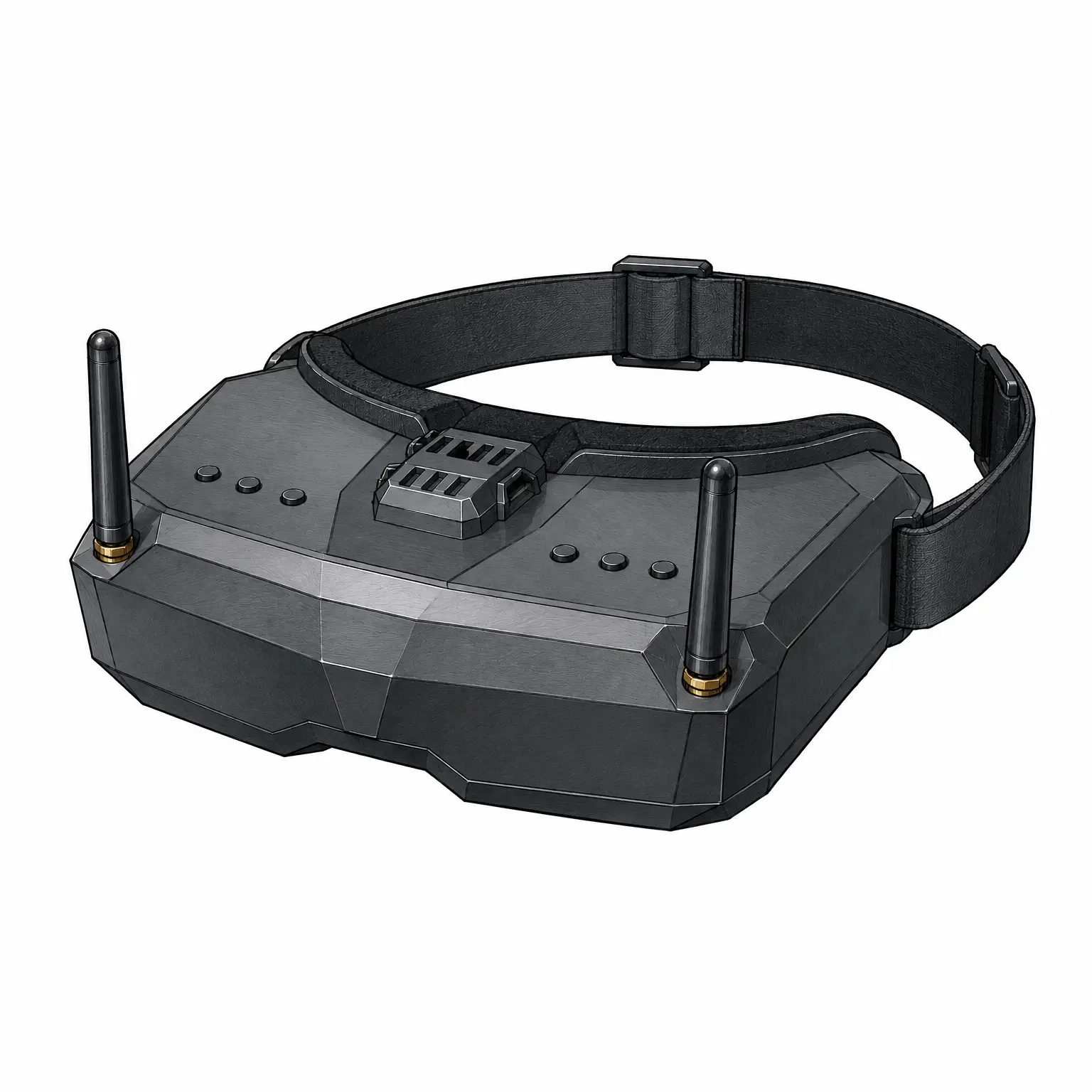
While writing my article about FPV goggles, I eventually ran into a question: I can spend several days — or even longer — digging through different features and goggle models, but sooner or later I still reach the point where I have to decide: so, which ones should I actually get? How do I compare one pair of goggles with another? And how do I know whether the $300–400 I’m planning to spend is being spent as wisely as possible?
That’s how this scoring model was born. And I’ll admit it — I built it together with a couple of AI models, which I asked to attack it from different angles. We had to argue about it for a while before I was happy with the result 😀
The model consists of two main parts:
- Technical specs and features — points are awarded depending on whether the goggles have a particular feature or not. In those cases where that feature can have different values scoring range is used.
- Value for money — specs are specs, but two pairs of goggles can cost the same while offering very different levels of functionality.
Table of Contents
Display (up to 14 points)
The display is the most important part of FPV goggles — after all, it’s what the pilot looks at throughout the entire flight. The display technology affects contrast, color reproduction, and black levels; resolution determines image detail; and refresh rate affects how smoothly motion is displayed. It’s also useful if the goggles support both 4:3 and 16:9 aspect ratios, as different FPV systems and cameras use different formats.
Because the display has such a major impact on the overall experience, this category is worth 14 out of the 60 available technical points — almost a quarter of the total score.
Technology (up to 5 points)
The display technology itself has the biggest impact within this category. OLED and micro-OLED displays offer excellent contrast, rich colors, and true blacks, so they receive the maximum 5 points. IPS LCD displays offer better viewing angles and colors than standard LCDs, so they receive 3 points. Meanwhile, LCD, TFT LCD, and LCOS technologies receive 2 points each because, while they can still provide a perfectly usable image for flying, their image quality generally falls behind the other options.
| Technology | Score |
|---|---|
| LCD | 2 |
| TFT LCD | 2 |
| LCOS | 2 |
| IPS LCD | 3 |
| OLED | 5 |
| micro-OLED | 5 |
Display resolution (up to 5 points)
The higher the display resolution, the sharper and more detailed the image can be. This is especially important for digital FPV systems, which can transmit high-resolution video. The lowest-resolution displays (<640 px) receive no points, while displays with a resolution of 1920×1080 (Full HD) or higher receive the maximum 5 points. Everything in between is scored according to resolution.
| Display resolution | Score |
|---|---|
| <640 | 0 |
| 640×480 | 1 |
| 720×540 | 2 |
| 800×480 | 2 |
| 900×600 | 2 |
| 960×720 | 3 |
| 1080×720 | 3 |
| 1024×768 | 3 |
| 1136×640 | 3 |
| 1280×720 | 4 |
| 1280×960 | 4 |
| ≥1920×1080 | 5 |
Refresh rate (up to 3 points)
A higher display refresh rate allows fast-moving video to appear smoother. Although the actual video frame rate also depends on the FPV system, a higher display refresh rate helps the goggles take advantage of what the system can deliver. Therefore, displays with refresh rates up to 60 Hz receive 1 point, 90 Hz displays receive 2 points, and 100–120 Hz displays receive the maximum 3 points.
| Refresh rate; Hz | Score |
|---|---|
| ≤60 | 1 |
| 90 | 2 |
| 100-120 | 3 |
Aspect ratio (1 point)
This parameter is worth only 1 point because its impact is smaller than that of the other display characteristics. However, the ability to switch between 4:3 and 16:9 provides more flexibility when using different cameras and FPV systems. If the goggles support only one aspect ratio, they don’t receive the additional point.
| Aspect ratio | Score |
|---|---|
| 4:3 | 0 |
| 16:9 | 0 |
| 4:3 and 16:9 | 1 |
Optics (up to 10 points)
Even the best display won’t help much if the optics make the image uncomfortable to look at. In the Optics category, I evaluate not only the apparent size of the image, but also how well the goggles can be adjusted to suit different pilots’ vision. These parameters affect not only comfort during flight, but also whether a particular pair of goggles will actually work for a particular pilot.
This category is worth 10 out of the 60 available technical points because properly adjustable optics can make a huge difference during longer flying sessions and may help avoid additional expenses, such as prescription lens inserts or other optical modifications.
Field of view (FOV) (up to 4 points)
One of the most commonly discussed specifications is Field of View (FOV), or how large the image appears in your field of vision. However, a larger FOV doesn’t necessarily mean better goggles. An FOV that is too small can make it feel as if you’re looking at a tiny screen, while one that is too large may force you to move your eyes — or even your head — to take in the entire image.
That’s why I award the maximum score not to the largest FOV, but to the more balanced 36–45° range, which many pilots find comfortable. Very small or very large FOV values receive fewer points.
| FOV | Score |
|---|---|
| <30º | 1 |
| 30–35° | 2 |
| 36–45° | 4 |
| 46–50° | 3 |
| >50° | 2 |
IPD adjustment (up to 2 points)
Interpupillary distance (IPD) is the distance between the centers of your pupils. Since it varies from person to person, being able to adjust the position of the lenses is very important. Goggles with adjustable IPD receive 2 points, while models without IPD adjustment receive no additional points.
| IPD adjustment | Score |
|---|---|
| No | 0 |
| Yes | 2 |
IPD adjustment range (up to 2 points)
Having IPD adjustment alone isn’t enough — the adjustment range matters too. The wider the IPD adjustment range, the more pilots the goggles can accommodate without compromise.
| Adjustment range | Score |
|---|---|
| <14 mm | 0 |
| 14–17 mm | 1 |
| ≥18 mm | 2 |
Diopter adjustment (1 point)
Diopter adjustment allows many pilots to fly without wearing glasses or contact lenses. Since not everyone needs this feature, but it can be extremely useful for those who do, it is worth 1 point.
| Diopter adjustment | Score |
|---|---|
| No | 0 |
| Yes | 1 |
Prescription lens support (1 point)
Some goggles are designed to accept prescription lens inserts. This is especially important for pilots whose vision correction needs fall outside the range of the goggles’ built-in diopter adjustment. Since this feature is relevant only to some users but can be a deciding factor when choosing goggles, it is also worth 1 point.
| Prescription lens support | Score |
|---|---|
| No | 0 |
| Yes | 1 |
Video system versatility (up to 6 points)
FPV goggles can be designed for a single video system or support several different technologies. The more systems you can use with the same goggles, the more versatile they become — and the more likely they are to remain useful as your FPV setup changes over time.
Although video system support doesn’t directly affect image quality or comfort, it has a major impact on how versatile the goggles are and whether you can switch to another FPV system in the future without replacing the goggles themselves.
This category doesn’t evaluate which FPV system is better. Instead, it evaluates how many different video transmission systems can be used with the same goggles.
Built-in digital receiver (2 points)
A built-in digital receiver allows you to use a digital FPV system without additional modules or adapters. An integrated solution is generally more compact and convenient to use and requires fewer external components.
| Built-in digital receiver | Score |
|---|---|
| No | 0 |
| Yes | 2 |
Built-in analog receiver (2 points)
Goggles with a built-in analog receiver are ready to use with analog FPV drones without requiring an additional VRX module, reducing the amount of extra hardware you need to carry.
| Built-in analog receiver | Score |
|---|---|
| No | 0 |
| Yes | 2 |
Replaceable VRX module (2 points)
This feature provides the most flexibility — you can choose the receiver module you want to use, and when new technologies appear, you may only need to replace the module rather than the entire pair of goggles.
| Replaceable VRX module | Score |
|---|---|
| No | 0 |
| Yes | 2 |
Each of these features solves a different problem, and none is inherently more important than the others. Built-in analog and digital receivers provide convenience, while support for replaceable VRX modules provides greater flexibility and a way to adapt the goggles to other systems in the future.
Connectivity (up to 6 points)
Even goggles with an excellent display can be limited if they lack important connectivity options. In this category, I evaluate which connections the goggles offer and how useful they are not only for flying, but also for simulators, video recording equipment, external modules, and other accessories.
Connectivity is worth 6 out of the 60 available technical points. Although none of these features is essential for every pilot, together they significantly increase the versatility of the goggles and allow them to be used in a wider range of situations.
HDMI input (2 points)
HDMI input is one of the most useful additional features. It allows the goggles to be used as an external display — you can connect them to a computer and fly in FPV simulators, view video from other devices, or use them with external video sources. Because of its wide range of uses, this feature is worth 2 points.
| HDMI input | Score |
|---|---|
| No | 0 |
| Yes | 2 |
HDMI output (1 point)
HDMI output allows the video displayed in the goggles to be sent to a monitor, TV, or video recording device. This can be useful for demonstrations, training, or competitions, but most pilots will rarely use it, so it is worth 1 point.
| HDMI output | Score |
|---|---|
| No | 0 |
| Yes | 1 |
AV input (1 point)
AV input makes it possible to connect an analog video source. Although this connection is less commonly used today than HDMI, it can still be useful with older equipment or specific analog setups, so it receives 1 point.
| AV input | Score |
|---|---|
| No | 0 |
| Yes | 1 |
USB-C video (1 point)
A USB-C port that supports video input allows the goggles to be used as an external display with a single cable. It can serve as a modern alternative to HDMI, but the feature is not yet widely available in FPV goggles, so it is worth 1 point.
| USB-C video | Score |
|---|---|
| No | 0 |
| Yes | 1 |
Audio jack (3.5 mm) (1 point)
A 3.5 mm audio jack can provide audio output for headphones or, depending on the goggles, audio input for a microphone. It can be useful with analog systems or during training, but it isn’t essential for most pilots, so it is worth 1 point.
| Audio jack (3.5 mm | Score |
|---|---|
| No | 0 |
| Yes | 1 |
Wi-Fi (0 points)
Wi-Fi connectivity can be used to update firmware wirelessly, access manufacturer apps, or share video. It’s a convenient feature, but it doesn’t directly affect the quality of the flying experience, so I treat it as informational only and don’t award any points for it in the scoring model.
| Wi-Fi | Score |
|---|---|
| Yes/No | 0 |
Head tracking – HT (0 points)
Head tracking allows the goggles to translate the pilot’s head movements into camera or gimbal movement. This feature is most relevant when using a camera mounted on a movable platform or in certain specialized applications. Since it isn’t essential for most FPV pilots, I treat it the same way as Wi-Fi — as an informational feature that doesn’t receive any points in the scoring model.
| Head tracking | Score |
|---|---|
| Yes/No | 0 |
Radio flexibility (up to 5 points)
The video reception quality of analog FPV goggles depends not only on the receiver, but also on the antennas being used. Different types of antennas work best in different situations — including directional and omnidirectional (omni) antennas, as well as antennas with different polarization and gain. Therefore, in this category I evaluate not the receiver itself or its sensitivity, but how much flexibility the user has to adapt the goggles to specific flying conditions.
Although this category isn’t as important as the display or optics, being able to choose the right antennas can have a significant impact on the performance of an analog FPV system.
Number of antenna connectors (up to 2 points)
The more antenna connectors the goggles have, the more options you have for using different antenna combinations. A single connector allows you to use only one antenna at a time, while two or more make it possible to combine, for example, a directional antenna with an omnidirectional antenna and take advantage of diversity reception.
Therefore, goggles with more antenna connectors receive a higher score, up to a maximum of 2 points.
| Number of antenna connectors | Score |
|---|---|
| 1 | 0 |
| 2 | 1 |
| ≥3 | 2 |
Replaceable antennas (3 points)
Just as important is whether the antennas can be replaced at all. If they are integrated into the goggles, the user cannot choose different antennas for specific flying conditions, and replacing an antenna if it gets damaged can be difficult or even impossible.
Goggles with standard, easily replaceable antennas receive 3 points because they provide the most flexibility and allow you to use compatible antennas from different manufacturers.
| Replaceable antennas? | Score |
|---|---|
| No | 0 |
| Yes | 3 |
DVR (up to 7 points)
DVR (Digital Video Recorder) allows you to record the video displayed in the goggles directly to a memory card. Although this feature doesn’t affect flight performance or video transmission itself, it is extremely useful for analyzing flights, finding a crashed drone, sharing recordings, or creating educational content.
DVR has become an almost standard feature in mid-range and higher-end FPV goggles. However, its importance is still lower than that of the display or optics.
DVR availability (2 points)
The most important question is whether the goggles have built-in video recording at all. This is the only feature in this category without which all the other DVR specifications become irrelevant.
| DVR availability | Score |
|---|---|
| No | 0 |
| Yes | 2 |
Max recording resolution (up to 2 points)
The higher the recording resolution, the more detail can be preserved in the video. This can be useful when analyzing flights, identifying obstacles, or editing footage.
Lower-resolution DVRs receive fewer points, while the highest recording resolutions receive the maximum 2 points.
| Max recording resolution | Score |
|---|---|
| ≤480p | 0 |
| 720p | 1 |
| 960p | 1 |
| ≥1080p | 2 |
Max recording FPS (up to 2 points)
A higher frame rate produces smoother recordings, especially during fast FPV flights. This improves both flight analysis and the viewing quality of the recordings.
Models capable of recording at higher frame rates receive more points, up to a maximum of 2.
| Max recording FPS | Score |
|---|---|
| ≤ 30 | 1 |
| ≥60 | 2 |
Max SD card capacity (up to 1 point)
The supported memory card capacity determines how much video can be stored before you need to transfer the recordings to a computer. Today, even 32–64 GB is usually enough for many flights, so this specification doesn’t have a major impact on the overall score. For that reason, maximum SD card capacity is worth only 1 point.
| Max SD card capacity | Score |
|---|---|
| <256 GB | 0 |
| ≥256 GB | 1 |
Power and batteries (up to 6 points)
The power system affects how convenient FPV goggles are to use both at home and in the field. A wider supported voltage range allows you to use a greater variety of batteries and other power sources, USB-C makes it possible to power or charge the goggles using modern chargers and power banks, and external battery power lets you quickly get back to flying without waiting for a built-in battery to recharge.
Although the power system doesn’t affect image quality, its convenience becomes especially important for pilots who fly frequently — or for long periods of time.
Input voltage range (up to 2 points)
The wider the supported input voltage range, the more different power sources you can use. Some goggles can only be powered within a narrow voltage range, while others support anything from 2S to 6S LiPo batteries or other power sources without requiring additional voltage converters.
Because of this added versatility, a wider input voltage range is worth up to 2 points.
| Input voltage range | Score |
|---|---|
| One voltage | 0 |
| Limited (7–13 V) | 1 |
| Wide (2S–5S/6S, 7–26 V) | 2 |
USB-C charging or powering (2 points)
USB-C allows compatible goggles to be charged or powered using common phone chargers, power banks, or other USB-C power sources. This significantly improves convenience and reduces the need to carry separate chargers or dedicated batteries.
| USB-C charging/power | Score |
|---|---|
| No | 0 |
| Yes | 2 |
Battery and external power options (up to 2 points)
Some goggles use only a built-in battery, while others can also be powered by an external battery. External power lets you get back to flying immediately by simply connecting another charged battery. In the long run, it also avoids relying entirely on a built-in battery as it wears out.
The way I distributed the points here may be somewhat debatable. I gave 1 point to goggles that can use both a built-in and an external battery, while goggles powered exclusively by an external battery receive 2 points. My reasoning is that a built-in battery is definitely convenient at first, but it wears out over time and can also create a false sense of security, making you more likely to leave the external battery at home. If the goggles rely exclusively on an external battery, you’re forced to make sure you have your battery — or batteries — ready every time you go flying.
| Battery / external power options | Score |
|---|---|
| Integrated only | 0 |
| Integrated + external power (USB/DC) | 1 |
| External only | 2 |
Comfort (up to 6 points)
Even the most technically advanced FPV goggles can become uncomfortable during long flying sessions. However, comfort is very difficult to evaluate objectively — it depends on head shape, facial anatomy, individual preferences, and even the head strap being used. Therefore, in this category I evaluate only the characteristics that can be objectively compared using manufacturer specifications.
Weight (up to 3 points)
The lighter the goggles, the less strain they put on your neck and face during longer flying sessions. Weight is one of the few comfort-related specifications that can be measured accurately and compared objectively between different models.
Because box goggles and binocular goggles have fundamentally different designs, I use separate weight scoring criteria for each type. Box goggles are inevitably heavier because of their single large display and bulkier optics. If I applied the same weight thresholds to all goggles, almost every box goggle would automatically receive a poor score simply because of its design.
Therefore, each goggle type is evaluated only within its own class — the lightest box goggles are compared with other box goggles, while binocular goggles are compared with other binocular models. This keeps the comparison fair and avoids penalizing inherent design differences between the two types.
Since weight has a great impact on long-term comfort, it is worth 3 points — half of the entire Comfort category score.
| Weight (Box goggles) | Score | Weight (binocular goggles) | Score |
|---|---|---|---|
| >450 g | 0 | >400 g | 0 |
| 381–450 g | 1 | 321–400 g | 1 |
| 321–380 g | 2 | 251–320 g | 2 |
| ≤320 g | 3 | ≤250 g | 3 |
Built-in fan (2 points)
A built-in fan helps reduce lens fogging and improves airflow inside the goggles. This is especially useful when flying in warm or humid weather or during more intense flying sessions.
| Built-in fan | Score |
|---|---|
| No | 0 |
| Yes | 2 |
Replaceable face pad (1 point)
A replaceable face pad not only makes it easy to replace the pad when it wears out, but also allows you to choose a different thickness or material to better fit your face. It also makes the goggles easier to maintain and clean.
Although this is a useful feature, its impact on overall comfort isn’t as significant as that of weight or a built-in fan.
| Replaceable face pad | Score |
|---|---|
| No | 0 |
| Yes | 1 |
Price in September 2026*
As I already mentioned in my FPV goggles comparison, this is the most complicated part of the scoring model. At first, I considered simply choosing a few drone and FPV equipment retailers and using their prices for the comparison. However, that would ignore cases where the goggles can easily be purchased directly from the manufacturer — which is exactly how I bought my own Skyzone goggles.
That introduces another variable: possible import duties and taxes. I haven’t gone too deeply into how this works, but in some cases manufacturers seem to be able to ship their products without additional import charges. This isn’t really my area, though, so I’m not going to spend too much time on it.
Prices are listed in U.S. dollars. If the manufacturer lists the price in euros, I convert it to USD.
Although price itself doesn’t contribute any technical points, it is very important when determining how much value a pair of FPV goggles offers for the money. you spend.
Value for money
The technical score shows what a pair of FPV goggles can offer in terms of features and specifications, but it doesn’t answer another important question: are they worth the price? That’s why, in addition to the technical score, each model receives a separate Value for money rating from ★☆☆☆☆ to ★★★★★.
This rating is not included in the overall technical score and is calculated separately. This prevents cheaper models from artificially outperforming more technically advanced goggles simply because they cost less.
How are the stars awarded?
First, the FPV goggles are given a technical score using the methodology described in this article. That score is then compared with the current market price of a new pair of goggles.
The more technical capability the goggles offer for the money, the higher their Value for money rating. Conversely, if a model scores well technically but is disproportionately expensive, its Value for money rating will be lower.
I have to admit, though, that I’m not entirely sure whether I’ll be able to keep this part of the scoring model up to date in the long run. A year from now, new FPV goggles will have been released, older models will have become cheaper, and I’ll have to go through all of this manually again on a regular basis.
Why use stars instead of points?
Value for money isn’t an absolute technical specification. It changes over time depending on market conditions, discounts, new product releases, and manufacturer pricing.
That’s why I use a ★★★★★ rating instead of additional points. It provides a quick indication of how much you get for your money without changing the underlying technical score.
To find the Value for money rating, locate the goggles’ technical score in the first column and compare their current price with the corresponding price ranges.
| Technical score | ★★★★★ | ★★★★☆ | ★★★☆☆ | ★★☆☆☆ | ★☆☆☆☆ |
|---|---|---|---|---|---|
| 60 | ≤ $450 | $451–560 | $561–680 | $681–790 | ≥ $791 |
| 59 | ≤ $440 | $441–550 | $551–665 | $666–775 | ≥ $776 |
| 58 | ≤ $430 | $431–540 | $541–650 | $651–760 | ≥ $761 |
| 57 | ≤ $425 | $426–530 | $531–640 | $641–745 | ≥ $746 |
| 56 | ≤ $420 | $421–520 | $521–630 | $631–730 | ≥ $731 |
| 55 | ≤ $410 | $411–515 | $516–620 | $621–720 | ≥ $721 |
| 54 | ≤ $400 | $401–510 | $511–610 | $611–710 | ≥ $711 |
| 53 | ≤ $395 | $396–500 | $501–595 | $596–695 | ≥ $696 |
| 52 | ≤ $390 | $391–490 | $491–580 | $581–680 | ≥ $681 |
| 51 | ≤ $380 | $381–480 | $481–570 | $571–665 | ≥ $666 |
| 50 | ≤ $370 | $371–470 | $471–560 | $561–650 | ≥ $651 |
| 49 | ≤ $365 | $366–460 | $461–550 | $551–640 | ≥ $641 |
| 48 | ≤ $360 | $361–450 | $451–540 | $541–630 | ≥ $631 |
| 47 | ≤ $350 | $351–440 | $441–525 | $526–615 | ≥ $616 |
| 46 | ≤ $340 | $341–430 | $431–510 | $511–600 | ≥ $601 |
| 45 | ≤ $335 | $336–420 | $421–500 | $501–585 | ≥ $586 |
| 44 | ≤ $330 | $331–410 | $411–490 | $491–570 | ≥ $571 |
| 43 | ≤ $320 | $321–400 | $401–480 | $481–560 | ≥ $566 |
| 42 | ≤ $310 | $311–390 | $391–470 | $471–550 | ≥ $551 |
| 41 | ≤ $305 | $306–380 | $381–460 | $461–535 | ≥ $536 |
| 40 | ≤ $300 | $301–370 | $371–450 | $451–520 | ≥ $521 |
| 39 | ≤ $290 | $291–360 | $361–435 | $436–505 | ≥ $506 |
| 38 | ≤ $280 | $281–350 | $351–420 | $421–490 | ≥ $491 |
| 37 | ≤ $275 | $276–340 | $341–410 | $411–480 | ≥ $481 |
| 36 | ≤ $270 | $271–330 | $331–400 | $401–470 | ≥ $471 |
| 35 | ≤ $260 | $261–320 | $321–390 | $391–455 | ≥ $456 |
| 34 | ≤ $250 | $251–310 | $311–380 | $381–440 | ≥ $441 |
| 33 | ≤ $245 | $246–305 | $306–365 | $366–425 | ≥ $426 |
| 32 | ≤ $240 | $241–300 | $301–350 | $351–410 | ≥ $411 |
| 31 | ≤ $230 | $231–290 | $291–340 | $341–395 | ≥ $396 |
| 30 | ≤ $220 | $221–280 | $281–330 | $331–380 | ≥ $381 |
| 29 | ≤ $215 | $216–270 | $271–320 | $321–370 | ≥ $371 |
| 28 | ≤ $210 | $211–260 | $261–310 | $311–360 | ≥ $361 |
| 27 | ≤ $200 | $201–250 | $251–295 | $296–345 | ≥ $346 |
| 26 | ≤ $190 | $191–240 | $241–280 | $281–330 | ≥ $331 |
| 25 | ≤ $185 | $186–230 | $231–270 | $271–315 | ≥ $316 |
| 24 | ≤ $180 | $181–220 | $221–260 | $261–300 | ≥ $301 |
| 23 | ≤ $170 | $171–210 | $211–250 | $251–290 | ≥ $291 |
| 22 | ≤ $160 | $161–200 | $201–240 | $241–280 | ≥ $281 |
| 21 | ≤ $155 | $156–190 | $191–230 | $231–265 | ≥ $266 |
| 20 | ≤ $150 | $151–180 | $181–220 | $221–250 | ≥ $251 |
| 19 | ≤ $140 | $141–170 | $171–205 | $206–235 | ≥ $236 |
| 18 | ≤ $130 | $131–160 | $161–190 | $191–220 | ≥ $221 |
| 17 | ≤ $125 | $126–150 | $151–180 | $181–210 | ≥ $211 |
| 16 | ≤ $120 | $121–140 | $141–170 | $171–200 | ≥ $201 |
| 15 | ≤ $110 | $111–130 | $131–160 | $161–185 | ≥ $186 |
| 14 | ≤ $100 | $101–120 | $121–150 | $151–170 | ≥ $171 |
| 13 | ≤ $95 | $96–110 | $111–135 | $136–155 | ≥ $156 |
| 12 | ≤ $90 | $91–100 | $101–120 | $121–140 | ≥ $141 |
| 11 | ≤ $80 | $81–95 | $96–110 | $111–130 | ≥ $131 |
| 10 | ≤ $70 | $71–90 | $91–100 | $101–120 | ≥ $121 |
| 9 | ≤ $65 | $66–80 | $81–90 | $91–105 | ≥ $106 |
| 8 | ≤ $60 | $61–70 | $71–80 | $81–90 | ≥ $91 |
| 7 | ≤ $50 | $51–60 | $61–70 | $71–80 | ≥ $81 |
| 6 | ≤ $40 | $41–50 | $51–60 | $61–70 | ≥ $71 |
| 5 | ≤ $30 | $31–40 | $41–50 | $51–60 | ≥ $61 |
| 4 | ≤ $20 | $21–30 | $31–40 | $41–50 | ≥ $51 |
Possible changes and additions
I’m not going to pretend that this scoring model is perfect or that there’s nothing that could be changed.
| Possible change | Reasoning | Counterargument |
|---|---|---|
| Award 1 point for Wi-Fi | For pilots who like to stream their flights, this is a major advantage — it makes it easy to show friends what you’re seeing while flying. | It’s a niche feature and mostly relevant to digital systems. With analog FPV, anyone nearby can watch your flight by tuning into your channel. Wi-Fi range can also be limited, meaning the viewer will probably need to stay nearby. And, of course, Wi-Fi introduces additional latency. |
| Award 1 point for Wi-Fi | It’s a convenient way to update the goggles’ firmware, although you still need to connect them to your phone. | None |
| Award 1 point for external battery only, and 2 points for built-in + external battery support | Some built-in batteries can be replaced. In addition, having a built-in battery is convenient as a backup if your external batteries are discharged or you simply forgot to bring them. | A built-in battery can create a false sense of security — you may forget to charge it, and its capacity will decrease over time. An external battery, on the other hand, is very easy to replace with a new one. |
| Award 1 point if the DVR supports H.265 | H.265 can provide similar image quality at a lower bitrate, resulting in smaller files. | It’s a niche feature. |
| Reduce the number of points awarded for replaceable antennas | Some integrated antennas (for example, those on the DJI Goggles 3) can perform very well compared with replaceable antennas. And if users simply replace the stock antennas with cheap, low-quality ones anyway, awarding this many points for replaceable antennas may give the feature too much weight. | Breaking an integrated antenna can become a real headache. You either have to replace the goggles or put quite a bit of work into repairing them. Hopefully, you can send them in for service — or you’re handy enough to replace the antenna yourself. With replaceable antennas, it’s super easy: you simply remove the damaged antenna and install another one.More importantly, replaceable antennas give you the option to use genuinely high-quality antennas that can improve video reception or increase range. |
| Award at least 1 point for low latency | For highly latency-sensitive FPV pilots, keeping latency as low as possible can be very important. | This is mainly important to highly experienced and latency-sensitive pilots. How noticeable an additional 20–30 ms is can vary from pilot to pilot. On top of that, I would have to rely on independent testers — for example, latency tests performed by Nils Vo — because manufacturers rarely provide directly comparable latency measurements themselves. |
| Award more points for diopter adjustment | Pilots who need stronger vision correction may be limited to box goggles or prescription lens inserts if the built-in diopter adjustment range isn’t sufficient. | All binocular goggles have diopter adjustment, so the problem described here generally doesn’t apply to pilots who simply need vision correction. It becomes an issue mainly when a pilot’s prescription falls outside the diopter adjustment range offered by most goggles. |
| Award more points for a replaceable VRX module and fewer points for built-in receivers | A replaceable module is extremely convenient. In some cases, it can even add analog support to goggles designed for digital FPV systems.In the case of DJI goggles, analog or other video systems simply weren’t part of the design philosophy. Under this scoring model, however, the goggles are penalized for not supporting something they were never designed to support in the first place. | None |
Data
For transparency, I’m also sharing the Google Sheets spreadsheet where I’ve collected the specifications, scoring data, and other information for all the FPV goggle models included in this comparison.